

















Elevate Your Interiors
with Trendy Tiles Display
Tiles That Speak the Language of Design.
12th Jan, 2025
_(3).jpg)
The world of interior design has witnessed a remarkable shift with the advent of advanced technologies like the 360 Degree Tile Room Visualizer. This tool, combined with the immersive capabilities of a 360 Panorama Viewer, empowers users to explore design concepts with unparalleled precision and creativity.
Whether you're remodeling your home, designing a commercial space, or simply exploring tile options, these tools offer a user-friendly solution to visualize, customize, and perfect your ideas before making costly commitments. In this article, we will provide a detailed guide to understanding these tools, their benefits, and applications, as well as explore popular visualizer tools like TilesDisplay.
A 360 Degree Tile Room Visualizer is a software tool designed to give users a virtual representation of how tiles will look in a specific space. It uses advanced 3D and 360-degree imaging technologies to provide a realistic view of tile placements, patterns, and color combinations in real time.
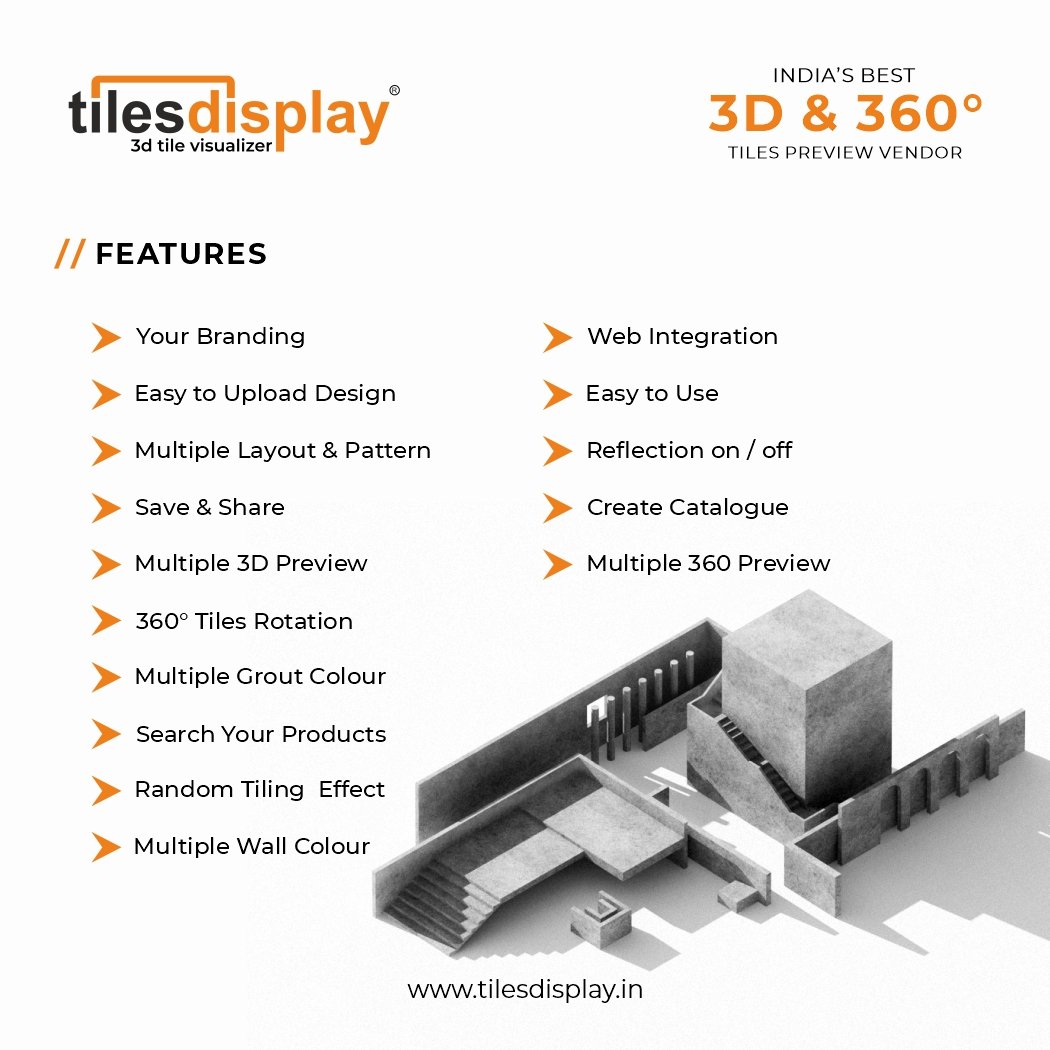
Customizable Tile Options: Experiment with different tile materials, patterns, and grout colors to see how they fit together.
Real-Time Updates: Instantly apply changes to the design and view the updated look from various angles.
Interactive 360° Views: Navigate the room and zoom in on details using a 360 Panorama Viewer for a fully immersive experience.
Easy-to-Use Interface: Designed for professionals and homeowners, most tools offer drag-and-drop functionality.
The traditional tile selection process involves guesswork, physical samples, and sometimes costly trial-and-error installations. With 360 visualization, users can virtually walk through their designs, eliminating doubts and ensuring satisfaction before committing to a purchase.
The integration of 360 Panorama Viewers enhances the effectiveness of tile room visualizers. Here’s why:
With panoramic views, users can visualize their chosen tiles in a simulated environment that feels like walking into the actual room. This immersive experience helps in understanding the spatial arrangement and aesthetics.
Unlike flat 2D representations, a 360-degree panorama offers an interactive experience. Users can virtually walk through the room, rotate their perspective, and zoom in on details. This provides a holistic understanding of how the tiles will look in a real-world setting.
Seeing tiles in a 360-degree view removes ambiguity. Users can assess how the tiles look under different lighting conditions and angles, aiding better decision-making.
Design revisions and incorrect material choices can be costly. Panorama viewers reduce these errors, saving both time and money.
For architects, interior designers, and contractors, these tools make it easier to communicate ideas to clients. By sharing 360-degree visualizations, all stakeholders stay aligned.
Using a 360 Degree Tile Room Visualizer is simple and intuitive. Here’s a step-by-step breakdown of how these tools work:
.jpg)
Start by uploading an image of your space or inputting its dimensions. Advanced tools like TilesDisplay may also provide preloaded room templates for convenience.
Browse through the tool's extensive tile library. Choose from different materials, patterns, sizes, and finishes. Some tools even allow you to select tiles based on brand or price range.
Drag and drop tiles onto the floor, walls, or other surfaces. Experiment with different combinations to find the perfect fit.
Switch to the 360 Panorama Viewer mode to get an immersive view of your design. Rotate the room, zoom in to inspect details, and adjust lighting to see how the tiles look under various conditions.
Save your design for future reference or share it with contractors, designers, or retailers for a smoother implementation process.
While homeowners benefit immensely from these tools, they also have transformative applications in various industries:
Design professionals use 360 visualizers to present their ideas to clients effectively. These tools allow clients to make informed decisions, reducing design iterations and project timelines.
These tools allow interior designers to showcase their ideas in a highly visual and interactive format. Homeowners can test various designs and layouts before starting renovations.

Real estate agents leverage 360 panorama technology to stage properties virtually. Showing a home with customizable tile options attracts buyers and helps them envision the space as their own.
Tile retailers and online stores use room visualizers to provide virtual showrooms. Customers can test products in their spaces, enhancing the online shopping experience.
Online tile retailers utilize room visualizers to enhance the shopping experience. Customers can test products virtually, building confidence in their purchasing decisions.
Hotels, restaurants, and offices use these tools to plan renovations, ensuring the final look aligns with branding and functional needs.
Several platforms have set benchmarks for their innovative tile visualization solutions. Among the most popular are TilesDisplay:
TilesDisplay is another powerful platform known for:
AI-Powered Visualizations: Automatically adapts tiles to the room's dimensions for precise placements.
Interactive Features: Includes drag-and-drop functionality and real-time updates.
Shareable Designs: Makes collaboration easier with sharing capabilities for designers and clients.
Mobile Accessibility: Fully optimized for use on smartphones and tablets.
Other notable tools include Roomvo, TilePlanner, and MSI Visualizer, all offering unique features tailored for various users and design needs.
Use High-Quality Images: Upload clear and well-lit room photos for accurate visualizations.
Experiment with Layouts: Don’t hesitate to test unconventional tile patterns to find unique designs.
Check Lighting Effects: Adjust virtual lighting to see how tiles look in various conditions.
Consult Experts: Share your designs with professionals for insights on feasibility and cost.
A : 360 Degree Tile Room Visualizer is a digital tool that allows users to visualize tile layouts, colors, and patterns in a virtual room using 3D and 360-degree technology.
A : 360 Panorama Viewer provides an immersive experience, allowing users to navigate through a virtual room and inspect tile details from all angles.
A: Yes, most tools are optimized for mobile devices, making it convenient to design on the go.
A: Many platforms offer free versions with basic features, while advanced tools may require subscriptions or one-time payments.
A: Interior design, real estate, retail, hospitality, and architecture are the primary industries benefiting from this technology.
A : Yes, most tools allow users to save and share their designs via email or social media.
A : It helps users visualize and customize tile designs in a virtual space, enabling informed decisions before installation.
A : Yes, these tools are ideal for both residential and commercial spaces, including offices, hotels, and restaurants.
A : No, most panorama viewers are accessible through standard web browsers or mobile apps, without requiring additional hardware.
The 360 Degree Tile Room Visualizer, paired with the capabilities of 360 Panorama Viewers, is transforming the interior design and home improvement industries. Tools like TilesDisplay provide unmatched functionality, making it easier than ever to experiment with designs, visualize outcomes, and make confident decisions.
Whether you're a homeowner looking to refresh your living space or a professional designer seeking innovative solutions, these tools are indispensable. Embrace the power of 360-degree visualization and bring your design dreams to life with ease and precision.
