















Elevate Your Interiors
with Trendy Tiles Display
Tiles That Speak the Language of Design.
18th Jul, 2025
_(24).jpg)
Choosing the right tile color scheme for your bathroom can feel overwhelming but it doesn’t have to be. Thanks to tile matching apps and bathroom color visualizers, you can now upload a photo, explore color combinations, and visualize the perfect layout before making any costly decisions. These tools take the guesswork out of design and let you plan your remodel with clarity and creativity.
Color coordination in your bathroom isn’t just about style it impacts how the space feels, functions, and flows. Whether you're working with a compact powder room or a large master ensuite, selecting the right tile colors can dramatically affect the room’s mood and visual balance.
For example:
Light colors like beige or soft gray can make a small bathroom feel more open
Warm tones like terracotta or taupe add coziness and comfort
Cool tones like mint or slate bring a spa-like, calming effect
By using a bathroom tile visualizer app, you can experiment with color palettes in real-time. This allows you to align your floor and wall tiles, vanity, and fixtures in one cohesive vision. Coordinated design not only improves aesthetics but also boosts your home's resale value — a big win for future-proofing your renovation.
A tile matching app is a digital tool that allows you to match tile colors, identify existing tile patterns, and preview new combinations using augmented reality or photo upload technology. Some apps use AI-based scanning to identify tiles from a photo, while others function like a tile color visualizer, letting you overlay new designs and colors directly onto a photo of your bathroom.
Here’s how most of them work:
Upload a photo of your bathroom or use your camera in real time
The app detects tile zones or allows manual selection
Choose tile colors, patterns, or materials from a preset library
Instantly visualize your choices with live previews or saved snapshots
Advanced apps like Tilesdisplay even simulate tile textures, grout lines, and finish types (matte, gloss, satin) for a more realistic result. Whether you're renovating or building new, these apps bridge the gap between inspiration and execution.
Uploading your own bathroom photo is the fastest way to create a personalized design plan. A tile visualizer app lets you test color combinations directly on your space not a generic template giving you a much more reliable preview.

Take a well-lit, straight-on photo of your bathroom. Natural daylight is best.
Open your tile color visualizer app (like Tilesdisplay or BEHR’s Paint Your Place).
Use the upload photo feature and import your image.
Select the wall, floor, or shower tile zones using masking tools.
Apply and test different tile colors, finishes, and styles.
Save or screenshot your favorite combinations for later comparison.
Include surrounding elements (vanity, lighting, walls) to judge overall harmony
Test combinations like light floors + dark walls or patterned tiles + solids
Compare 2–3 top options side-by-side before narrowing down
Apps with smart tile mapping and lighting filters will give you the most realistic output, helping you design with confidence — and without regret.
Once your bathroom photo is uploaded and masked, the real design magic begins: building a complete, harmonious color palette using the visualizer’s features. A well-constructed bathroom palette isn’t just about matching tile colors — it’s about creating flow between your flooring, wall tiles, vanity, fixtures, and lighting.
Most bathrooms have two dominant tile surfaces:
Floors
Shower or wall surrounds
Begin by selecting a neutral base such as soft gray, beige, or light stone — for one of these areas. Neutrals provide versatility and allow accents to stand out. Use the app to test warm vs. cool versions and see how they shift the vibe of the room.
Once you’ve selected your base, decide whether you want:
High contrast (e.g., black floor tiles + white subway walls)
Soft tonal harmony (e.g., warm gray floor + sand-colored walls)
Tile color visualizers often include a palette planner or “suggested color pairings” feature to help you test these combinations instantly.
Your tiles don’t live alone. They interact with:
Bathroom vanities (wood, white, or dark finishes)
Countertops (quartz, granite, solid surface)
Hardware (chrome, black, brass)
Paint colors on adjacent walls
Use the app to either simulate these finishes or hold swatches in your hand as you preview tile overlays digitally. This helps you choose complementary or contrasting tones that won’t clash with fixed elements.
Most beautiful bathrooms follow a 3-layer color structure:
Main tile color (e.g., soft white marble)
Accent tile or border (e.g., navy herringbone in shower niche)
Grout color (e.g., matching vs. contrast)
Good tile visualizers allow you to preview all three — especially tools like Tilesdisplay, which offer grout simulation and finish options.
Whether you're a DIY remodeler or a design professional, the right app can make or break your bathroom tile decisions. From free tools for quick inspiration to premium platforms with advanced 3D rendering, here are the top tile color visualizers and bathroom tile matching apps worth using.
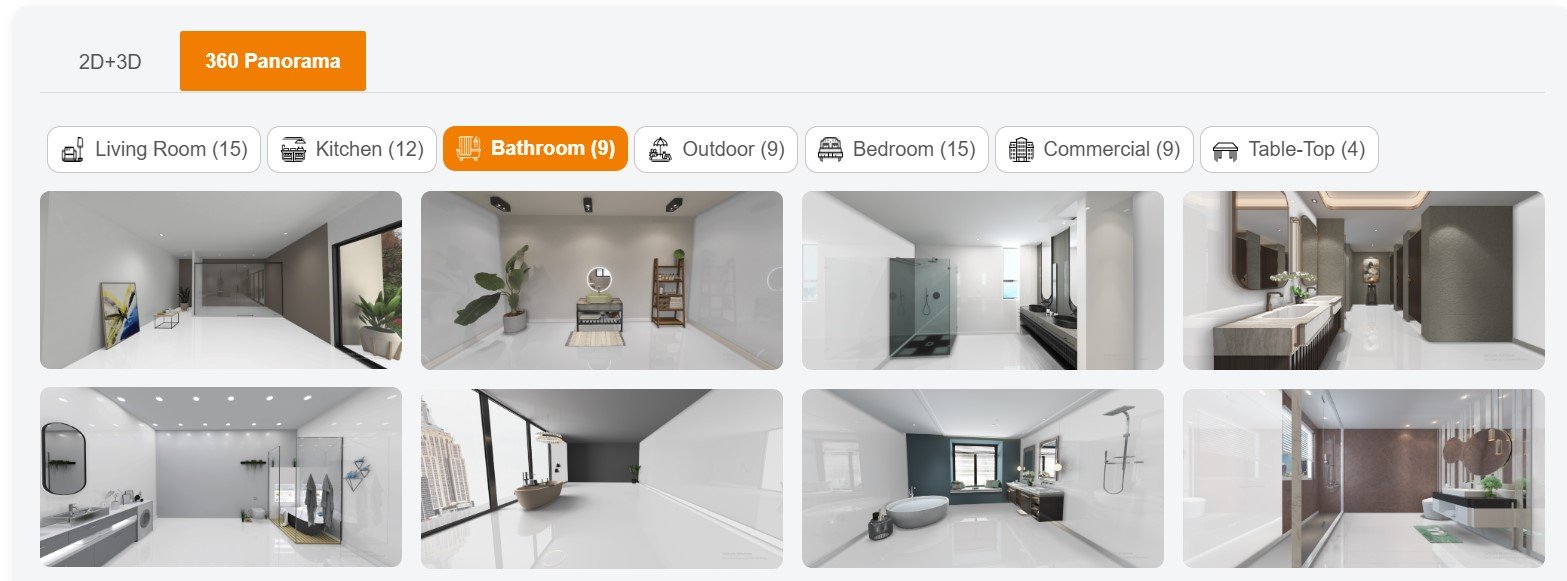
Tilesdisplay is a high-performance bathroom tile visualizer that allows users to upload their own photos, auto-detect tile zones, and apply paint, patterns, and textures with stunning accuracy. It's perfect for building full bathroom palettes and seeing results in realistic lighting.
Features:
Upload-your-own-photo option
Color and texture overlay with finish simulation
Grout line and sheen customization
Ideal for pros and homeowners alike
Best for: Users seeking hyper-realistic previews and custom tile planning
BEHR’s online tool allows you to apply paint to walls and tiles by uploading your bathroom photo or choosing a template. While it's not tile-specific, it’s useful for testing color schemes and integrating tile tones with paint options.
Features:
Upload feature
BEHR’s full paint catalog
Simple interface
Best for: Homeowners on a budget looking to match tile with paint
Project Color lets you preview tiles and paint colors using your smartphone camera. While it’s more paint-focused, it helps with selecting cohesive bathroom palettes and visualizing tile and wall interactions.
Features:
Live AR color testing
Camera-based photo matching
Works on Android and iOS
Best for: On-the-go decision-making while shopping in-store
Though not tile-specific, Roomstyler lets users build 3D models of their bathroom and apply various tile colors, shapes, and layouts. It's ideal for experimenting with large bathroom makeovers.
Features:
Full 3D bathroom planning
Drag-and-drop tiles and finishes
Includes furniture and lighting preview
Best for: Designers and advanced users planning full renovations
TileLook focuses on real product-based tile simulations from various manufacturers. It's great for pros or showrooms wanting to showcase accurate branded tile layouts.
Features:
3D room layout
Real manufacturer tile libraries
Limited free version
Best for: Professionals and tile dealers needing accuracy
Look for apps that allow you to:
Upload your own bathroom photo
Adjust lighting and surface finish
Match floor and wall tiles
Save multiple combinations
If you're serious about realistic planning, Tilesdisplay stands out as the top all-around solution for visualizing tile color schemes in real bathroom settings.
Selecting the perfect tile color scheme involves more than just liking a color — it's about balance, lighting, space perception, and how each design element complements the others. Here’s how to use your tile matching app to make smart, stylish, and lasting color decisions.
Neutral tiles — such as white, gray, beige, or cream — are timeless, versatile, and easy to match with any decor. Use a tile color visualizer to test neutral tones on your floor or shower walls first. This provides a clean base for layering accents, vanities, or bold accessories.
Why it works:
Keeps the bathroom feeling open and clean
Increases resale appeal
Pairs well with bold or soft tones
Don’t rely on color alone. Play with finish variations for extra visual interest. Try pairing matte floor tiles with glossy wall tiles, or textured accent tiles against smooth backdrops. Tile visualizers like Tilesdisplay let you preview these effects before installation.
Examples to test:
Glossy white walls + matte gray floors
Textured subway tile with smooth ceramic
Want your vanity, bathtub, or shower niche to pop? Use contrasting tile colors to create focal points. A dark tile feature wall behind a white tub draws attention without overwhelming the space.
Try these combinations:
White marble floors + navy herringbone wall
Black hex tiles + light oak vanity
Beige base + forest green shower wall
To avoid a chaotic look, keep your color palette limited. A good rule of thumb is:
One primary color (dominates walls or floors)
One secondary tone (for contrast or variety)
One accent color (used sparingly to add personality)
You can preview these layers in your bathroom tile visualizer app before committing.
Colors change drastically under different lighting:
Natural light softens whites and warms grays
Warm LEDs enhance beige, tan, and cream tones
Cool lights sharpen blues and grays
Most modern visualizer tools allow you to test different lighting presets or simulate lighting with overlays. Always review your design under both day and evening settings.
In small bathrooms:
Lighter tiles open up space
Vertical patterns add height
Glossy finishes reflect more light
In larger bathrooms:
You can safely explore dark or bold colors
Use contrasting grout for modern impact
Use your app to simulate room size and see how each tile color influences perceived space.
Tiles are part of a larger ecosystem that includes:
Vanities
Countertops
Paint
Shower enclosures
Mirrors and hardware
Use the visualizer to compare how each tile choice plays with these elements. If the app doesn't simulate fixtures, hold swatches up to your screen to assess the full effect.
While tile matching apps make it easier than ever to plan your bathroom design, there are some common pitfalls that can lead to poor results — or worse, expensive regrets. Here are the most frequent mistakes users make, and how to avoid them for a flawless remodeling experience.
The most common mistake is trusting screen colors 100%. Every screen displays colors differently depending on brightness, calibration, and device type. What looks warm gray on your phone might appear cool blue on your desktop.
How to fix it:
Always double-check with real tile samples
Use your app for shortlisting, not final selection
Compare on multiple devices and lighting conditions
Lighting has a huge impact on how tiles look in real life. If you take a photo in poor lighting, your visualizer may apply inaccurate tones that feel totally different in reality.
How to fix it:
Take bathroom photos in natural daylight
Use visualizers that allow lighting filters or presets
Compare results under warm and cool light conditions
Too much matching can make your bathroom feel flat or sterile. For example, choosing the same beige tile for floor, walls, and shower can cause the space to lack contrast and dimension.
How to fix it:
Use the 60-30-10 rule: 60% main tile, 30% complementary, 10% accent
Test combinations with contrasting grout or finish
Add visual interest with an accent wall or patterned niche
If your uploaded photo is blurry, too dark, or angled incorrectly, the app will struggle to map tile areas accurately — resulting in awkward overlays and false previews.
How to fix it:
Take clear, straight-on photos in bright natural light
Avoid shadows and reflections
Crop out clutter for cleaner previews
You may test several tile combos but forget to save them leaving you with no reference when you're ready to shop or make final decisions.
How to fix it:
Save or screenshot your top 3–5 options
Name each design or tile combo clearly
Use folders or mood boards to organize your palette
Many users focus only on tile color and ignore grout color and tile finish — which dramatically affect the final look. The wrong grout shade can disrupt contrast or overwhelm the design, and the wrong sheen may change how color reflects.
How to fix it:
Choose a visualizer that lets you test grout and finish
Use contrasting grout for modern designs
Preview matte, gloss, and satin side by side
Apps like Tilesdisplay offer advanced masking tools, light simulation, and finish previews — giving you far more control and realism than most basic apps. The more realistic the preview, the more confident your decision-making will be.
Designing your bathroom should be exciting — not stressful. Thanks to modern tile matching apps and tile color visualizers, you can move from uncertainty to clarity with just a few taps. Whether you’re remodeling a small powder room or a master ensuite, these tools empower you to plan smarter, faster, and with greater confidence.
Instead of relying on imagination, showroom samples, or static mood boards, tile visualizer apps let you see your ideas in action in your own space, with your own lighting and layout. You can:
Upload real photos of your bathroom
Preview hundreds of color combinations
Match floor and wall tiles effortlessly
Experiment without spending a cent
This kind of digital design freedom helps you avoid costly mistakes and ensures your chosen palette looks just as good in real life as it did on-screen.
Tools like Tilesdisplay take the design experience a step further by offering:
Realistic overlays with lighting simulation
Smart masking and zone detection
Accurate finish previews (matte, gloss, satin)
Grout customization options
For homeowners, contractors, and designers alike, using a tile matching app is no longer just a novelty — it’s an essential part of the planning process.
Your bathroom is one of the most used — and most valuable — spaces in your home. Choosing the right tile color scheme is a decision that lasts for years. So don’t leave it to chance.
Use a trusted bathroom tile visualizer app to design with clarity, match with precision, and create a space that feels just right.
A tile matching app uses visual recognition or AR to scan existing tile designs, colors, and textures. Users can upload photos or use live camera features to compare tiles, test color combinations, and preview new designs in real time before buying or installing them.
Yes. Many modern apps like Tilesdisplay and BEHR’s visualizer let you upload your own bathroom photo. These tools then help you identify tile colors and recommend matching or complementary shades based on your room’s lighting and layout.
Tilesdisplay, Roomstyler, and Home Depot’s Project Color are top-rated apps for matching both wall and floor tiles. They support photo upload, color palette suggestions, and realistic previews with options for grout and finish types.
Start by uploading a well-lit photo of your bathroom. Use the app to explore neutral base tiles, then add accent tones. Aim for balance between warm and cool shades, and ensure your floor, wall, and vanity colors complement each other.
Tile visualizer apps provide an excellent starting point, but results may vary based on lighting and screen calibration. Always test final choices with physical tile samples before making a purchase to confirm accuracy.
A tile visualizer is used for previewing new tile combinations, while a tile identifier app helps recognize or scan existing tiles to match them with available products. Some modern apps combine both features.
Yes. Most tile matching and color visualizer apps are optimized for mobile devices. Tools like Tilesdisplay, BEHR Paint Your Place, and Home Depot's app work seamlessly on iOS and Android for on-the-go design planning.
